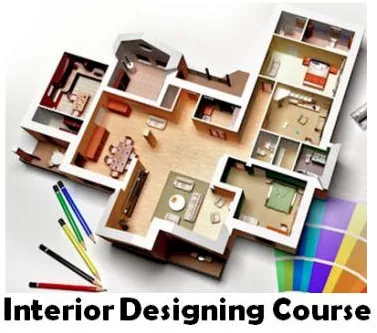
Digital Interior Designing Course
Module 1: Fundamentals of Interior Design (Day 1–4 | 8 Hours)
- Day 1: Introduction to Interior Design – Principles, Elements, and Trends
- Day 2: Color Theory, Textures, and Material Selection
- Day 3: Space Planning, Furniture Layout, Ergonomics
- Day 4: Mood Boards & Concept Development
Module 2: Adobe Photoshop for Interior Design (Day 5–12 | 16 Hours)
- Day 5: Photoshop Interface, Tools & Workspace Customization
- Day 6: Working with Layers, Selections & Masking
- Day 7: Color Corrections, Adjustments & Filters
- Day 8: Image Retouching – Materials, Textures, Furniture Images
- Day 9: Creating Floor Plans & Layout Presentations in Photoshop
- Day 10: Rendering Mood Boards and Concept Boards
- Day 11: Advanced Techniques – Smart Objects, Mockups
- Day 12: Mini Project – Presentation of Interior Concept in Photoshop
Module 3: Adobe Illustrator for Interior Design (Day 13–18 | 12 Hours)
- Day 13: Illustrator Interface, Vector Basics & Drawing Tools
- Day 14: Shapes, Lines, Pen Tool, and Precision Drawing
- Day 15: Creating Scaled Floor Plans & Layouts in Illustrator
- Day 16: Working with Patterns, Symbols, and Custom Swatches
- Day 17: Furniture Symbols & Graphic Presentation Techniques
- Day 18: Mini Project – Designing a Professional Interior Layout Board
Module 4: AutoCAD for Interior Drafting (Day 19–28 | 20 Hours)
- Day 19: Introduction to AutoCAD Interface & Drafting Basics
- Day 20: Drawing Tools – Lines, Arcs, Polylines, Shapes
- Day 21: Modify Tools – Move, Copy, Mirror, Rotate, Trim, Offset
- Day 22: Layers, Line Types, Colors & Annotation
- Day 23: Dimensioning Standards for Interior Drawings
- Day 24: Creating Furniture Layouts & Room Plans
- Day 25: Doors, Windows, and Interior Elements in CAD
- Day 26: Working with Blocks, Attributes & Dynamic Blocks
- Day 27: Plotting, Printing & Sheet Setup for Client Presentation
- Day 28: Mini Project – Drafting a Complete Interior Floor Plan
Module 5: 3ds Max for Interior Visualization (Day 29–38 | 20 Hours)
- Day 29: Introduction to 3ds Max – Interface, Units, Navigation
- Day 30: Basic Modeling – Walls, Floors, Ceilings
- Day 31: Creating Furniture Models & Importing CAD Drawings
- Day 32: Applying Materials, Textures & Mapping Techniques
- Day 33: Lighting Techniques – Natural & Artificial Lighting
- Day 34: Camera Setup for Interior Views
- Day 35: Rendering with V-Ray/Arnold (Photorealistic Outputs)
- Day 36: Advanced Texturing & Environment Settings
- Day 37: Animation Basics – Walkthrough & Flythroughs
- Day 38: Mini Project – Interior Scene Rendering
Module 6: Final Project & Portfolio Development (Day 39–40 | 4 Hours)
- Day 39: Capstone Project – Complete Interior Project Workflow
- Concept → Drafting (AutoCAD) → Presentation (Photoshop/Illustrator) → 3D Visualization (3ds Max)
- Day 40: Portfolio Preparation & Final Presentation
✅ Learning Outcomes:
By the end of the course, students will:
- Understand fundamentals of interior design principles.
- Create professional mood boards & presentation boards.
- Draft detailed 2D interior layouts in AutoCAD.
- Develop 3D models and photorealistic renders in 3ds Max.
- Build a portfolio suitable for clients or job applications.

Prerequisite of this course : Sound Knowledge & Experience in Graphic Designing
Total Fees :160,000/=
Total Duration :80 Hrs (2 Hours X 40 Days)
Mode : Individual Training / Your own time table
Live Online Classes or Face to Face Direct Classes with our expert trainers.
Call +94 (0) 722000999 / +94 (0) 755123111 www.iss.lk. Medium : සිංහල / தமிழ் / English